
What Can We Assist You With Today?
General Inquiries
For general inquiries, please contact PBA Member Advocates at 630-655-3755 weekdays between 7am and 7pm CST or use our email form.
Benefit Questions - Including Claim and Coverage Inquiries
For benefit questions, log into your benefits portal account. This account has a number of benefit related FAQs, as well as a secure message system that will allow you to either find the answers you need or securely transmit your question and any associated Protected Health Information (PHI) to us. Please do not submit any PHI to us via email or social media, as these methods are not secure. Does your employer offer benefits managed by PBA, but you don't have a benefits portal account yet? Sign up for a benefits portal website account today! If you can't find the information you need on our benefits portal website, contact PBA Member Advocates by phone at 630-655-3755, weekdays between 7am and 7pm CST or by email at customerservice@pbaclaims.com. You can also contact us through our email form. Please do not submit any PHI through this form.
For Questions Regarding Specific Coverage Types Like COBRA, Flex, HRA, and HSA
If you can't find the information you need on our benefits portal website, contact PBA Member Advocates by phone at 630-655-3755, weekdays between 7am and 7pm CST or by email at customerservice@pbaclaims.com. You can also contact us through our email form. Please do not submit any PHI through this form.
How to Use the Benefit Portal
Video tutorials are available to help show you how to use all the different features of the PBA benefit portal website:
Benefit Portal Website Problems
Account Creation Problems
If you are encountering problems with creating an account on our benefits portal website, watch this video. If problems still persist, note any error messages you receive and contact PBA Member Advocates at 630-655-3755.
Login Problems
If you are having trouble logging into an existing account on the PBA benefits portal, try the password recovery tool. If that fails, then contact PBA customer support at 630-655-3755. The password recovery tool only works for employee accounts. It doesn't work for HR, Broker, or provider portal accounts. For assistance with password resets for these accounts, contact PBA Member Advocates at 630-655-3755.
To Report Technical Problems
To report error messages and technical malfunctions with the PBA benefits portal website, email websupport@pbaclaims.com detailing the error or problem you are encountering. Include the following (if possible):
- A description of the problem and the actions that led up to the problem
- A screenshot of the problem or any error messages you receive
- Are you accessing the website on a desktop/laptop device or a mobile device
- If you are using a desktop/laptop, what version of Windows or Mac OSX are you using
- What web browser are you using (including version)
- Are you accessing the website on a mobile device; if so, what make and model of device is it
- If you are using a mobile device, what version of Android or iOS are you using and what web browser are you using (including version)
This information will help us to duplicate and troubleshoot the malfunction you are experiencing.
Add the Benefits Portal to Your Mobile Home Screen
The PBA benefits portal website is designed to be mobile-friendly and can be added to your mobile device's home screen. Once added to your home screen, you can launch the web portal just like you would any app. Follow these instructions to add the benefits portal to your mobile device home screen.
PBA Flex Claims Mobile App Support
PBA Flex Claims ("PBA Flex" on Apple) lets you manage your PBA Flexible Spending Account (FSA), Health Savings Account (HSA), or Health Reimbursement Account (HRA). If you do not have your FSA, HSA, or HRA benefits through PBA, this app will not work for you.
Getting Started
Create your pbaclaims.com account or log into your existing account first. For help with your pbaclaims.com account creation view this article. Once logged into your account, click "View FSA / HRA / HSA" on the home page. When your flex portal home page loads, hover over your name at the top of the screen and write down your Cosumer Communication ID. Log out of both the flex portal and the pba portal. Go through the app password setup instructions using the video or instruction document below before installing and launching the app for the first time. Because of an added layer of security in this app, your PBA Benefits Portal username and password will not work with PBA Flex Claims.
- Read the PBA Flex Claims - Guide to App Install and Password Updates
- Or view the Getting Started video
- If you are still having problems setting up your password, call 630-655-3755 or email mobilesupport@pbaclaims.com
Install the App
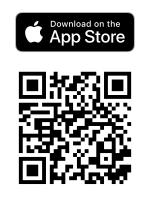
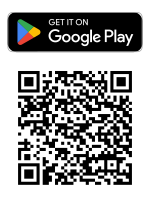
If you are on your desktop or laptop PC, scan the codes below with your mobile phone's QR code scanner app to be taken directly to the app install page on the App Store or Google Play store. If you are on your mobile device, simply touch the codes or the app store badges to be taken directly to the install pages.
To Report Problems with pbaclaims.com
To report error messages and technical malfunctions with the pbaclaims.com website, email websupport@pbaclaims.com detailing the error or problem you're encountering. Please include the following (if possible):
- A description of the problem and the actions that led up to the problem
- A screenshot of the problem or any error messages you receive
- Are you accessing the website on a desktop/laptop device or a mobile device
- If you are using a desktop/laptop, what version of windows or Mac OSX are you using
- What web browser are you using (including version)
- Are you accessing the website on a mobile device; if so, what make and model of device is it
- If you are using a mobile device, what version of Android or iOS are you using and what web browser are you using (including version)
This information will help us to duplicate and troubleshoot the malfunction you are experiencing.
For Problems with the Provider Portal
To report problems with the PBA Provider Portal website including login problems, email websupport@pbaclaims.com. Please make sure to include your name, your company name, and your TIN.